
What Is a Kitchen Display System (KDS) and How Does It Work?
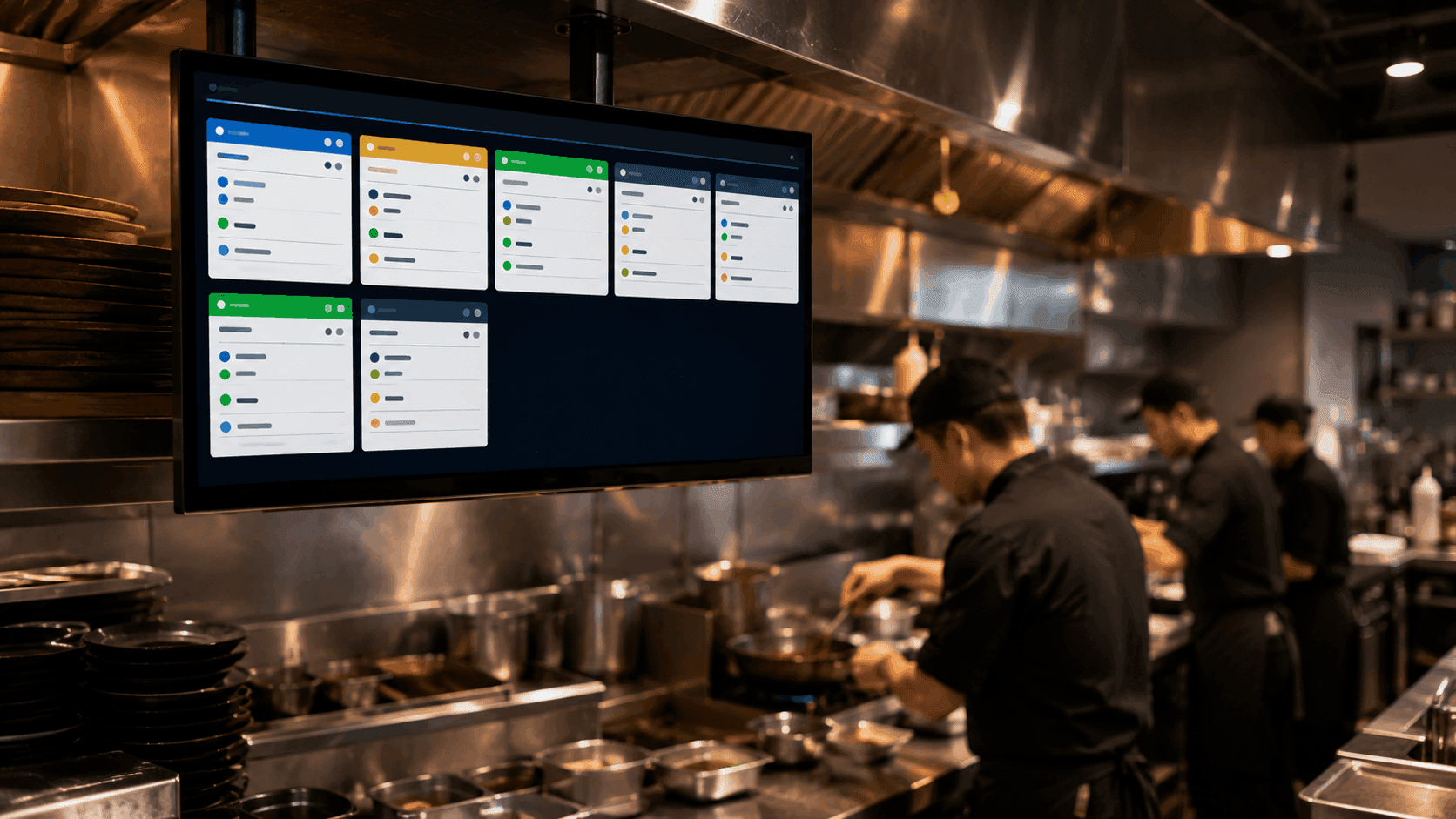
If you've ever worked a busy kitchen shift with a wall of handwritten paper tickets, you already know the problem a kitchen display system solves. Orders get lost, tickets fall off the rail, and communication between the front of house and kitchen slows down exactly when speed matters most. A KDS replaces all of that with a digital screen — but what does it actually do, and how does it work behind the scenes? Here's a clear breakdown.
What Is a Kitchen Display System?
A kitchen display system, commonly shortened to KDS, is a digital screen (or set of screens) that shows kitchen staff exactly what needs to be prepared, in real time, as orders come in. Instead of printed paper tickets clipped to a rail, orders appear instantly on a monitor mounted at each station — grill, fry, prep, expo — so every cook sees exactly what's needed and when.
A modern kitchen display system for restaurants typically connects directly to the POS, so there's no manual step between an order being placed and the kitchen seeing it. The moment a server rings in an order — or a guest places one through table ordering, delivery, or a phone call — it appears on the relevant kitchen screen automatically.
How Does a Kitchen Display System Work?
At its core, a KDS works in four steps:
1. An Order Comes In
This could be a server entering an order at the counter, a guest scanning a QR code at the table, a delivery order coming through a marketplace app, or a phone order taken by staff (or an AI voice agent). Regardless of the source, the order is captured digitally.
2. The Order Is Routed to the Right Station
Instead of one long paper ticket with everything mixed together, a KDS breaks the order down and routes each item to the correct station — grill items to the grill screen, fry items to the fry station, and so on. This keeps each cook focused only on what's relevant to them.
3. Kitchen Staff Update Progress in Real Time
As items are prepared, staff mark them as started or completed directly on the screen. This gives the whole kitchen — and the expo station — a live view of what's ready, what's in progress, and what's next, without anyone needing to shout across the kitchen or double-check a ticket rail.
4. Completed Orders Sync Back to the Front of House
Once everything on an order is marked ready, that status updates automatically for servers or the counter staff, so food goes out promptly and nothing sits waiting under a heat lamp longer than it should.
Why Restaurants Are Switching to a Kitchen Display System
The shift away from paper tickets isn't just about looking modern — it solves real operational problems:
- Fewer errors — no misread handwriting, no lost or misplaced tickets
- Faster ticket times — orders route instantly instead of being manually passed along
- Better multi-station coordination — every station sees only what's relevant to them, reducing confusion during rush hours
- Clear order source tracking — dine-in, takeaway, delivery, and phone orders can all appear on the same queue, clearly labeled
- Less paper waste — no printer, no ticket rolls, no clutter around the kitchen line
For kitchens handling a high volume of orders from multiple channels — dine-in, delivery, takeaway — this kind of real-time coordination becomes essential rather than optional.
Who Needs a Kitchen Display System?
A KDS isn't just for large restaurant chains. It's useful for:
- Quick-service restaurants managing high order volume and fast turnaround expectations
- Full-service restaurants coordinating multiple courses across several stations
- Multi-location restaurant groups wanting consistent kitchen workflows across every site
- Any kitchen juggling multiple order channels — dine-in, delivery, and takeaway — at once
Even smaller kitchens benefit, since the core issue a KDS solves (lost tickets, miscommunication, slow routing) affects kitchens of every size, not just high-volume ones.
Key Features to Look for in a Kitchen Display System
Not all kitchen display systems are built the same. When evaluating options, look for:
- Direct POS integration — orders should route automatically, with no manual re-entry
- Multi-station support — the ability to split and route items to different screens
- Support for all order channels — dine-in, QR/table ordering, delivery, and phone orders should all appear in one connected queue
- Real-time status updates — so the kitchen and front of house always see the same live information
- Simple, fast interface — kitchen staff need to interact with it quickly, under pressure, without a learning curve
How a KDS Fits Into a Restaurant's Broader Tech Setup
A kitchen display system rarely works in isolation — it's most effective as one connected piece of a broader restaurant POS system, where orders, payments, kitchen routing, and reporting all share the same data. When a KDS is tied directly into the POS rather than running as a separate tool, restaurants avoid the double data entry and communication gaps that paper tickets (and disconnected systems) create in the first place.
Final Thoughts
A kitchen display system replaces the guesswork and manual handoffs of paper tickets with a clear, real-time digital queue — helping kitchens reduce errors, speed up service, and manage multiple order channels without added chaos. Whether you're running a quick-service counter or a multi-station full-service kitchen, a KDS is one of the highest-impact upgrades a restaurant can make to daily operations.
If you're exploring a kitchen display system for your restaurant, it's worth seeing how ERPFY's kitchen display system connects directly with orders and payments in one workflow. Have questions about setup or how it fits your kitchen layout? Get in touch with our team — we're happy to walk you through it.
Ready for a smoother shift?